Creating a restaurant menu in 2026 is no longer about exporting PDFs or printing new copies every time something changes. Today’s restaurants need menu maker software that’s fast to update, mobile-friendly, and easy to share using QR codes.
That’s why more businesses are switching from static files to online restaurant menu makers that keep menus live, accessible, and always up to date.
In this guide, we’ll break down the best menu maker software for restaurants, what features matter most, and which tools work best for modern QR code menus.
What Is Menu Maker Software?
Menu maker software is a digital tool that lets restaurants create, edit, and publish menus online. Instead of designing a menu once and exporting it as a PDF, modern menu makers allow you to manage your menu in real time.
With an online restaurant menu maker, you can:
- Add and organize categories and items
- Update prices and descriptions instantly
- Share your menu via link or QR code
- Ensure your menu works perfectly on mobile devices
This approach saves time, reduces errors, and creates a better customer experience.
What to Look for in Menu Maker Software in 2026
Not all menu tools are built for real restaurant workflows. When choosing menu maker software, these are the most important features to consider.
Easy Menu Editing
You should be able to change prices, items, or descriptions in seconds — without redesigning the entire menu or re-exporting files.
Mobile-First Design
Most customers view menus on their phones. A good menu maker must be optimized for small screens and easy scrolling.
QR Code Menu Support
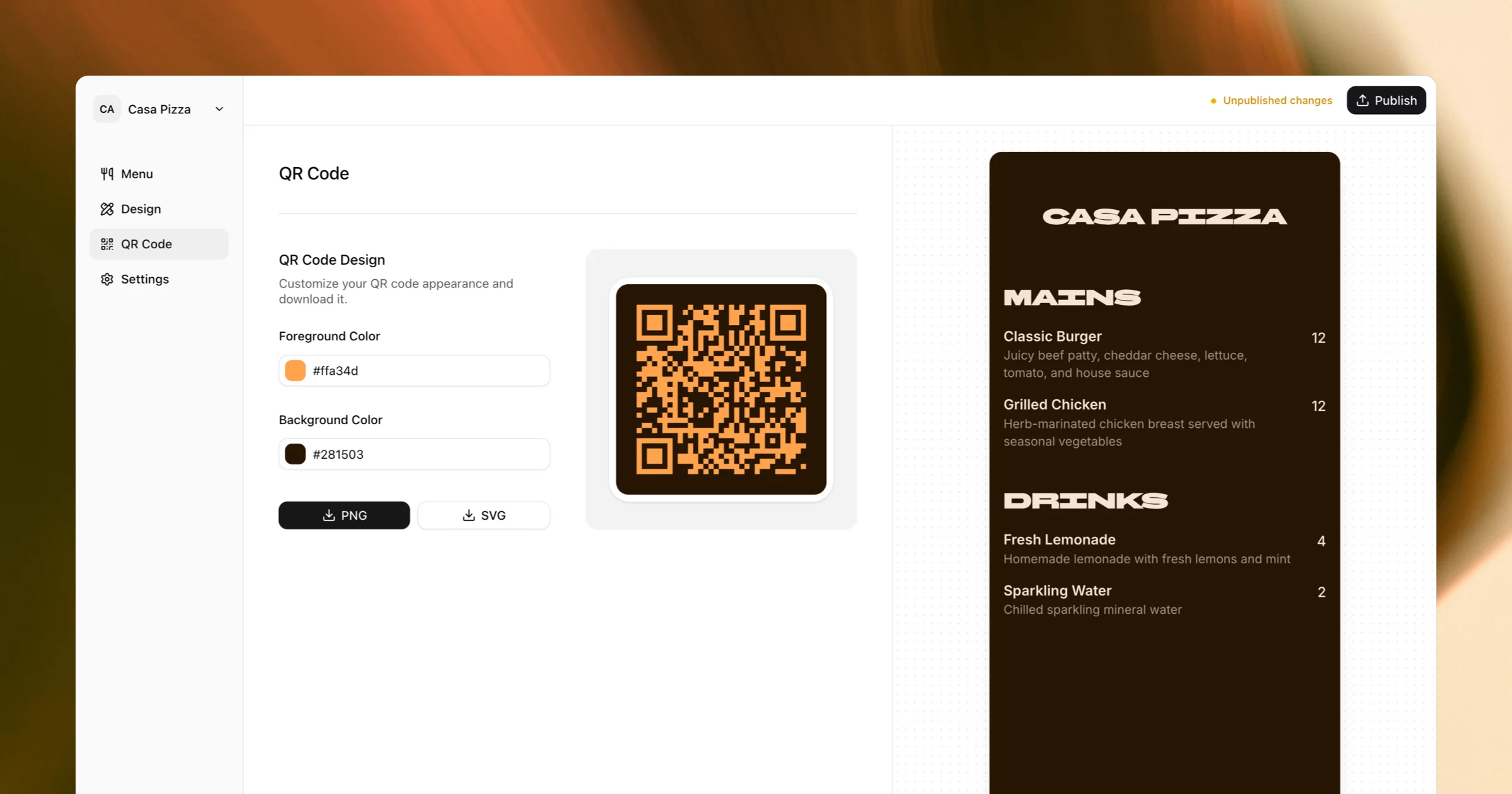
QR code menus are now standard. Your software should automatically generate a QR code that links directly to your live menu.
Branding & Customization
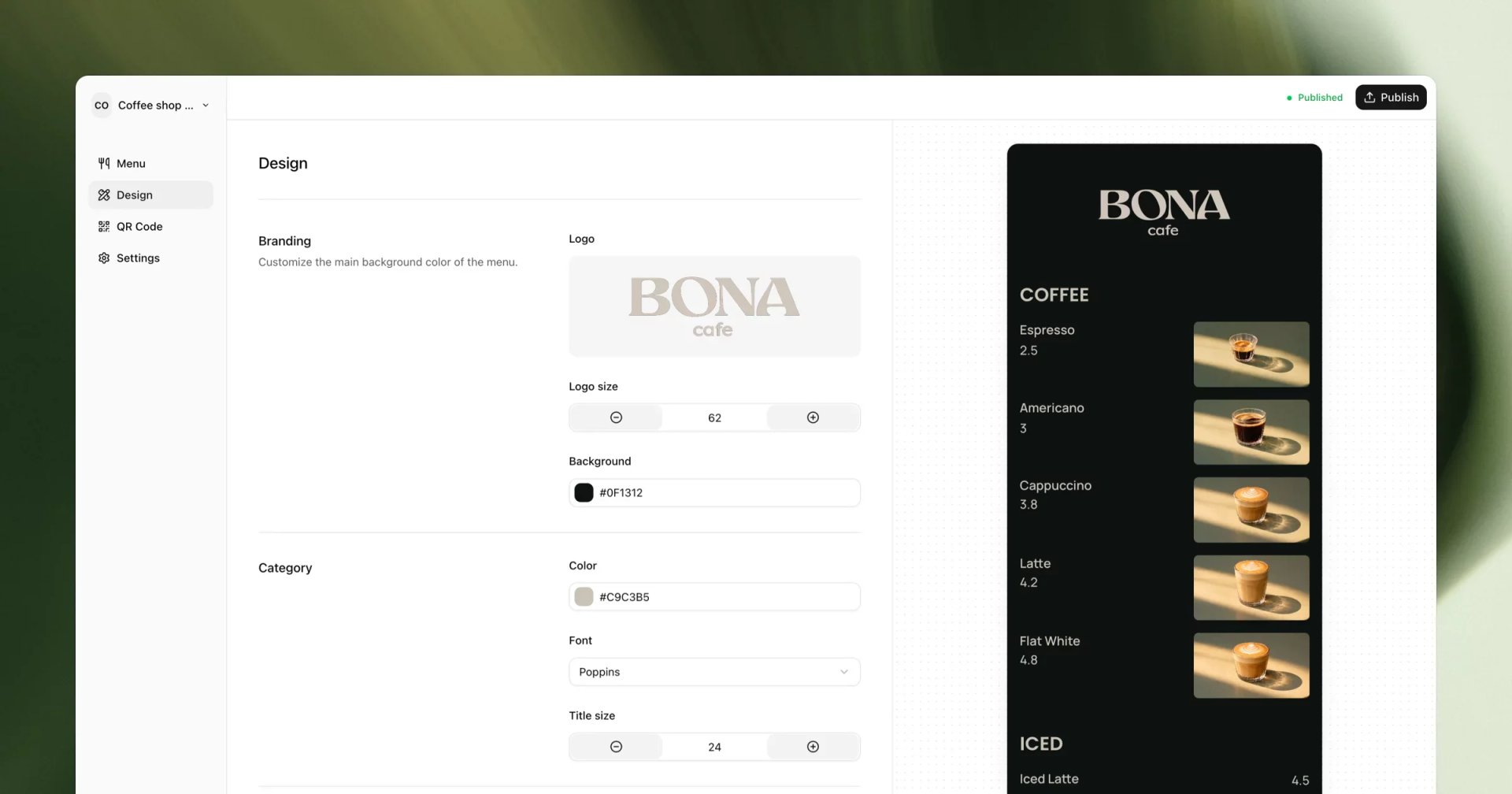
Look for tools that let you customize colors, fonts, and layout so your menu matches your restaurant’s brand.
Live Updates (No PDFs)
If you still need to download and upload files every time something changes, you’re using outdated software.
Free Option or Trial
A free menu maker or trial makes it easier to test the tool before committing.
Best Menu Maker Software for Restaurants in 2026
Below are some of the most popular tools restaurants use to create menus online — and how they compare.
1. Mmmmenu
Best overall menu maker for QR code menus. Mmmmenu is a modern menu maker software built specifically for restaurants that want a clean, mobile-friendly menu without dealing with PDFs.
Best for
- Online restaurant menus
- QR code menus
- Mobile-first customer experience
- Fast menu updates
Key features
- Design restaurant menus online
- Live menu link that’s always up to date
- Automatic QR code generation
- Mobile-optimized layout
- Simple editor for categories and items
Unlike traditional design tools, mmmenu focuses on live menus, which is how most customers actually view menus in 2026 — on their phones.
2. Canva
Canva is one of the most popular design tools for restaurant menus thanks to its large template library.
Pros
- Many menu templates
- Easy drag-and-drop editor
- Good for branding and visuals
Limitations
- Menus are exported as PDFs or images
- Every update requires re-exporting
- PDFs are hard to read on mobile
- Not a true online menu maker
Canva works well for printed menus, but becomes inefficient for menus that change often.
3. Design.com
Design.com offers menu templates as part of its broader design platform.
Pros
- Quick template-based designs
- Simple interface
Limitations
- Focused on downloadable files
- Limited flexibility after export
- Weak mobile experience
- Not optimized for QR code menus
4. Adobe Express
Adobe Express is a lightweight design tool often used to design restaurant menus online.
Pros
- High-quality typography
- Clean, professional layouts
- Good branding support
Limitations
- Menus exported as PDFs or images
- Updating requires re-exporting
- No built-in online menu hosting
- Not designed for restaurant workflows
Why PDF Menus Don’t Work Well in 2026
PDF menus are still common, but they cause real problems for restaurants.
Hard to Maintain
Any change means editing the file, exporting it again, and replacing it everywhere it’s used.
Poor Mobile Experience
PDF menus often:
- Load slowly
- Require zooming
- Don’t adapt to screen size
- Feel clunky on phones
Outdated Customer Experience
Customers expect fast-loading, scrollable menus. This is why restaurants are moving to online menu makers with QR codes instead of static PDFs.
Frequently Asked Questions
Final Thoughts
The best menu maker software in 2026 is not about printing PDFs — it’s about speed, flexibility, and mobile usability.
If you only need a static menu, design tools may be enough. But if you want instant updates, QR code sharing, and a better customer experience, an online restaurant menu maker is the smarter choice.
Tools like Mmmmenu make it easy to create, manage, and share your menu online — without reprints, PDFs, or unnecessary complexity.